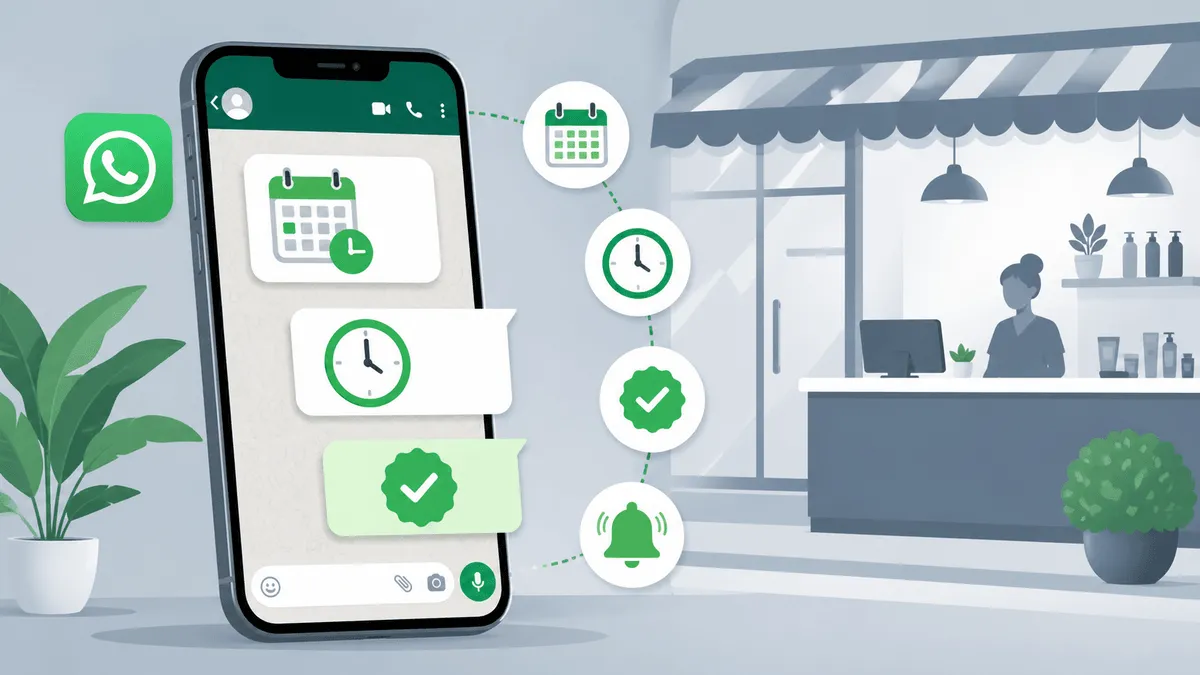
Walk into any clinic, salon, dental practice, or coaching institute in India between 10 AM and 1 PM, and you’ll see the same scene: the front desk on the phone, three people waiting in line for the receptionist’s attention, and another two who walked in hoping to book a slot in person. The receptionist is juggling all of them while also trying to find Mrs. Sharma’s file because Mrs. Sharma is on hold on the other line.
This is the bottleneck that runs the day-to-day of millions of small and mid-size service businesses in India. Every booking takes a phone call. Every phone call takes someone’s attention. And the attention you spend taking bookings is attention you’re not spending on the people physically in front of you.
Meanwhile, your customers don’t actually want to call. They want to book in 30 seconds, on the same app they used to message their cousin five minutes ago. WhatsApp is the channel they’re already on — over 500 million Indians use it daily. The opportunity isn’t introducing a new channel; it’s properly automating the one your customers already prefer.
This guide walks through everything you need to know about building a WhatsApp appointment booking chatbot — what a great booking flow actually looks like, how to handle real-world complications like capacity and rescheduling, the variations across industries, and the practical questions to ask when picking a platform. If you’re new to WhatsApp automation generally, our complete guide to WhatsApp automation for business covers the fundamentals first.
Why WhatsApp Is the Right Channel for Booking
There are dozens of ways to take appointments online — your own website, Google Business Profile, third-party apps like Practo or UrbanClap, a basic phone tree. Each has limits. WhatsApp specifically wins on a few dimensions that matter for booking.
Zero install friction. Your customer doesn’t download a new app, create an account, or remember a password. They send a message. That’s it. For older customers especially — the demographic most likely to be booking medical appointments — this difference is everything.
Two-way by default. A booking isn’t always a clean transaction. The customer might have a follow-up question (“is parking available?”), might want to confirm something before they finalise (“can my husband come too?”), or might need to reschedule a week later. WhatsApp handles the booking and the conversation around the booking in one thread, on the same channel.
Notifications people actually see. Email reminders go to spam folders or get buried. SMS reminders feel impersonal and are easy to miss. WhatsApp messages light up the phone with the same notification weight as a message from family — and most Indians check WhatsApp 50+ times a day. For appointment reminders specifically, this directly affects no-show rates.
Rich confirmations. A WhatsApp confirmation can include the appointment details, a map link, a profile of the doctor or stylist, photos of the location, and a link to add it to the customer’s calendar — all in one message. Try doing that over a phone call.
The 7 Stages of a Great WhatsApp Booking Flow
A booking flow that actually works isn’t just “what time do you want?”. It’s a structured sequence that captures the right details, checks real availability, and ends with a confirmation that both parties trust. Here’s what that looks like in practice.
Stage 1: Greeting and Intent
The customer sends “Hi” or taps a click-to-WhatsApp ad. Your bot greets them and confirms what they’re trying to do. This sounds trivial but matters — many customers also message you to ask about pricing, location, or services, and the bot needs to route them correctly.
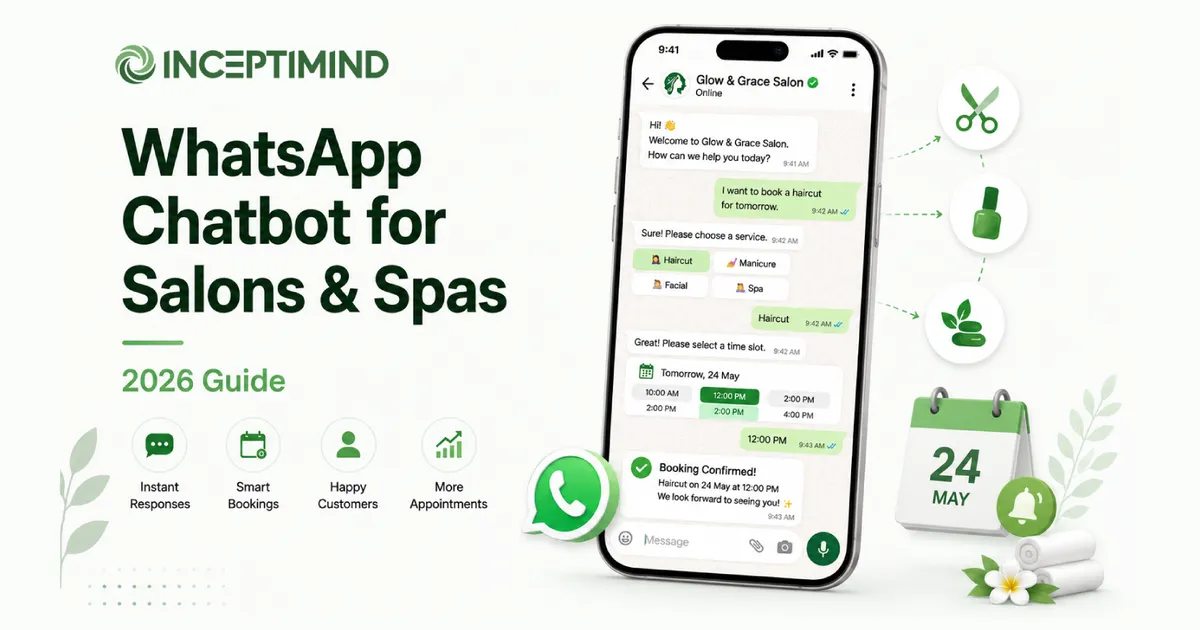
Bot: Welcome to Sunrise Dental Clinic 🦷 How can we help you today? [📅 Book Appointment] [📍 Location & Hours] [📞 Contact Us]
Buttons here, not free text. Buttons reduce errors, speed things up, and let the customer skip ahead without typing.
Stage 2: New vs Existing Customer
For most service businesses, the booking flow differs depending on whether you’ve seen this person before. New customers need their basic details captured. Existing customers just need to be looked up.
Bot: Are you a new patient or an existing patient? [New Patient] [Existing Patient]
A new patient gets walked through name, phone, age, and reason for visit. An existing patient — whose phone number you already have from the message itself — can skip straight to slot selection. This branching alone can save 30 seconds per booking.
Stage 3: Date Selection
This is where many DIY bots fall apart. They show a static list like “Monday, Tuesday, Wednesday” and call it done. The customer picks “Wednesday”, the bot books for next Wednesday, but the customer meant this Wednesday and now there’s a confusion phone call.
A proper booking flow shows actual dates with clear formatting:
Bot: Please select your preferred appointment date:
- Mon, 5 May 2026
- Tue, 6 May 2026
- Wed, 7 May 2026
- Thu, 8 May 2026
- Fri, 9 May 2026
The dates should be generated dynamically — today’s date matters, weekly off days should be excluded, and the booking window (next 7 days, next 14 days, etc.) should be configurable. This is one of the small details that separates a serious booking system from a glued-together prototype.
Stage 4: Session or Time Block
For most service businesses, the day is divided into sessions — morning OPD, afternoon clinic, evening hours. Showing every individual slot upfront is overwhelming. Group them first.
Bot: Select your preferred session for Wed, 7 May 2026: [🌅 Morning (9-12)] [🌤️ Afternoon (12-3)] [🌇 Evening (5-8)]
Importantly, the available sessions might differ by day. Saturdays might only have morning hours. Wednesdays might have an extended evening slot for working professionals. The system should reflect that.
Stage 5: Time Slot — With Real Capacity
The most overlooked part of booking automation: showing only the slots that are actually available.
A naive system shows every slot from the schedule template. The customer picks 11 AM. The bot books it. Then the customer arrives and discovers two other people are also booked for 11 AM because the bot doesn’t know about them.
A serious booking flow checks the existing booked appointments for that date and time and only shows slots with remaining capacity:
Bot: Available time slots for Wed, 7 May 2026 — Morning:
- 9:30 AM (3 spots left)
- 10:00 AM (1 spot left)
- 10:30 AM (full) ← not shown
- 11:00 AM (2 spots left)
Behind the scenes, the system maintains a slot definition table (each slot has a capacity — say 3 patients per 30-minute window for a busy GP), and queries the existing bookings for that date and slot before displaying. Slots that hit capacity disappear from the list automatically. This is what makes the bot trustworthy. A booking confirmation actually means a confirmed slot — not a coin flip.
Stage 6: Confirmation Message
The confirmation is more than a “thanks for booking”. It’s the message your customer will scroll back to find tomorrow at 10 AM when they’re trying to remember where to go.
Bot: ✅ Appointment Confirmed!
👤 Patient: Priya Sharma 📱 Phone: +91 98xxx xxx12 📅 Date: Wed, 7 May 2026 ⏰ Time: 11:00 AM
📍 Please arrive 10 minutes early. 📋 Bring any previous prescriptions or reports.
We look forward to seeing you!
Right after the confirmation, send the location separately as a clickable map link. The customer’s WhatsApp opens it directly in Google Maps — no copy-paste of an address.
Stage 7: Saving the Booking
Behind the message, the system writes the booking to your database. Critically, it writes the date and time slot together as a structured field — not buried in some unstructured notes column. This matters for two reasons: it’s what powers the capacity check on the next booking, and it’s what your reminder system will use the next morning.
A good appointment record stores at minimum:
- Customer name and phone
- Service or doctor selected
- Booked date + time slot
- Service-specific details (eye concern, hair service, vehicle model, etc.)
- Status (
new,confirmed,completed,cancelled)
That structured record is what every downstream feature depends on — reminders, reschedules, no-show tracking, reporting.
Industry Variations: Same Flow, Different Details
The core flow above is universal. The variations are mostly in what details you collect and what your sessions look like.
Clinics and dental practices. Capture symptoms or reason for visit. Differentiate between new patient consultation and follow-up (different time blocks). Show department/doctor as a step before date if you’re multi-specialty.
Salons and spas. Add a service selection step (haircut, facial, manicure, pedicure, hair colouring). Service duration varies dramatically — a 30-minute manicure and a 3-hour balayage shouldn’t share the same slot logic. Some salons let customers pick a specific stylist; others assign whoever’s free.
Coaching institutes and tutors. Bookings are usually for demo classes or trial sessions. Capture the student’s class, the subject they need help with, and parent contact details (since the actual user is often a minor). Slot blocks tend to be longer (60-90 minutes).
Restaurants and cloud kitchens. “Booking” here is table reservations. Capture party size — that’s the equivalent of slot capacity. A table can hold 4 people; if 3 are already booked, only one more spot. For cloud kitchens, “booking” might be advance order timing rather than physical slot.
Fitness studios and yoga classes. Each class has a defined start time and a hard cap (12 mat spots, 8 spin bikes). Booking is for a specific class instance, not a flexible time. The capacity check is critical because over-booking a yoga class is unrecoverable.
Automotive service centres. Bookings are usually for half-day or full-day blocks rather than hourly. Capture vehicle make, model, registration, and reason for service (general service, AC repair, tyre change). Pre-visit instructions matter (“please arrive with at least quarter tank fuel”).
The booking-flow scaffolding is identical across all of these. What changes is the data — your slot definitions, what details you collect, and what reminders you send. A platform worth its salt lets you reconfigure these without writing code.
Reducing No-Shows With Automated Reminders
Booking is half the battle. The other half is making sure the customer actually shows up.
No-show rates for service businesses in India range from 10% to 30% depending on the industry. For clinics, it’s typically 15-25%. Each no-show is direct revenue lost — that slot could’ve been someone else’s appointment. Multiply by a year, and you’re looking at lakhs in lost income for a moderately busy clinic.
Automated WhatsApp reminders can cut no-shows substantially. Research consistently shows reductions of 20-30% from a properly-designed reminder cadence. The cadence that works:
24 hours before. A friendly heads-up with the appointment details and a quick reply option to confirm or reschedule.
Hi Priya, this is a reminder for your appointment with Dr. Mehta tomorrow (Thu, 8 May) at 11:00 AM. Reply CONFIRM to confirm, or RESCHEDULE to pick a new time.
2-3 hours before. A shorter nudge with the essentials — time, location, what to bring.
Reminder: your appointment is at 11:00 AM today. Block B, 3rd Floor. Please bring your ABHA card and any previous reports.
The reschedule option in the first reminder is what makes this powerful. A customer who can’t make it doesn’t simply not show up — they reply RESCHEDULE, the bot offers them new slots, and the original slot opens up for someone else. You convert a no-show into a recovered slot in real time.
Handling Rescheduling and Cancellation
Rescheduling is its own mini-flow. A customer messages “need to change my appointment” or replies RESCHEDULE to a reminder, and the bot:
- Looks up their existing booking
- Confirms which appointment they want to change (“you have an appointment on Wed, 7 May at 11 AM. Reschedule this one?”)
- Walks them through new date/session/slot selection
- Updates the record (marking the old slot free, claiming the new one)
- Confirms the change
For cancellations, a single confirmation question is enough — “are you sure you want to cancel your appointment on Wed, 7 May at 11 AM?” with Yes/No buttons. Mark it cancelled in the database (don’t delete — you want the record for reporting), free up the slot, and acknowledge.
The reason this matters: customers who can’t easily cancel won’t bother to cancel — they’ll just no-show. Making cancellation as easy as a Yes/No tap actually reduces lost revenue, even though it sounds counter-intuitive.
Want a WhatsApp booking system that handles all of this out of the box?
Inceptimind helps clinics, salons, fitness studios, and service businesses set up appointment booking on WhatsApp — with capacity-aware slot management, automated reminders, reschedule flows, and no coding required. Plans start at just ₹399/mo.
Get Started TodayFive Mistakes That Make Booking Bots Fail
Plenty of businesses set up a “booking bot” that ends up worse than the phone-based system it replaced. The patterns are predictable.
1. Static slot lists that don’t reflect reality. The bot offers Tuesday 11 AM, but Tuesday 11 AM is already triple-booked. The customer “books” it, arrives, and is turned away. One bad experience and they’re never coming back. Always check live capacity before showing slots.
2. Free-text input where buttons would do. Asking the customer to type “morning” or “afternoon” instead of tapping a button means typos, wasted time, and confusion when the bot can’t parse “moning”. Use buttons or interactive lists for every choice that has a finite set of options.
3. Forgetting to send reminders. A booking taken on Monday for a Saturday appointment is forgotten by Wednesday. Without reminders, your no-show rate stays exactly where it was before the bot. The booking bot is only half the system; the reminder bot is the other half.
4. No reschedule path. If the only way to reschedule is to call the front desk, customers won’t bother. Build a reschedule flow that mirrors the booking flow — same effort to book, same effort to change.
5. Treating booking as one-time, not as part of a relationship. A great booking system captures details once, remembers the customer, and uses that history. A returning customer shouldn’t have to retype their phone number, age, or which doctor they prefer. Tie bookings to a customer record from day one.
What to Look For in a Platform
If you’re evaluating tools to set up WhatsApp appointment booking for your business, here are the questions that actually matter:
Does it handle slot capacity natively? Or do you have to wire up custom logic? Most generic chatbot platforms won’t have this built in. They’ll let you collect inputs and send messages, but capacity-aware slot management requires actual database integration. Confirm this before signing up.
Can non-developers configure the slot definitions? Your operations team should be able to add a new doctor, change clinic hours for a day, or block out a public holiday — without filing a development ticket. Visual configuration of the underlying data is a must.
Does it integrate with your existing systems? If you’re a clinic running an HMS, or a salon running a POS, the bot ideally pulls and pushes data to that system. Even basic integration — like syncing the day’s bookings to your existing calendar — is hugely valuable.
Are reminders, reschedules, and cancellations included? Many “booking bot” platforms only handle the booking moment, leaving you to bolt on the rest. The whole appointment lifecycle should be one system, not three.
What happens at scale? Some chatbot platforms break down once you cross a few thousand monthly bookings. Ask about volume limits, performance under load, and what their largest deployments look like.
What’s the real cost? WhatsApp Business API has a per-conversation pricing component that’s separate from the platform fee — and it adds up fast for high-volume bookers. Read our full breakdown on WhatsApp API pricing in India before budgeting.
Getting Started — A Practical Roadmap
If you’re reading this thinking “this all makes sense, but where do I actually start?” — here’s the path I’d suggest.
Start with one location, one service. Don’t try to cover every doctor, every service, every location on day one. Pick the simplest configuration — a single clinic, single dentist, two session blocks — and get that booking flow live. The lessons you learn from real bookings will shape the second iteration.
Get your slot data right first. Before any code or platform configuration, write down your weekly schedule template. Which days are open. Which time blocks. How many people fit in each block. What services are available when. This is the input every booking system needs and the output you’ll edit most often. Get it cleaned up before you start.
Design the reminder cadence with your team. Decide who gets reminders (everyone, or only first-time customers?), how many (one or two?), and at what times. The team that handles walk-ins should weigh in — they know how patient behaviour actually maps to reminder timing.
Set up WhatsApp Business API access. The personal WhatsApp app or even WhatsApp Business app won’t work for automated booking — you need API access via a Business Solution Provider (BSP). Most automation platforms, including Inceptimind, handle the API setup as part of onboarding.
Pilot for two weeks before promoting it. Once your bot is live, route only a fraction of traffic to it (e.g., the link in your Instagram bio) before adding it to your main website and signage. Watch for edge cases the bot doesn’t handle gracefully and patch them before going wide.
Track no-show rate before and after. This is your headline metric. If your no-show rate drops from 22% to 14% after launching the bot, that’s not just better operations — that’s directly recovered revenue. Quantifying this makes it obvious to stakeholders that the project paid for itself.
The Bigger Picture
Appointment booking isn’t a flashy automation use case. It’s not the AI demo that goes viral on LinkedIn. But it’s the workflow that touches more service businesses, more often, with more direct revenue impact, than almost anything else you could automate.
The shift happening across India right now is that customers no longer accept “call to book” as a default. They expect to tap, type, and confirm — same as they do for groceries on Blinkit, food on Swiggy, or a cab on Ola. The businesses that meet them on WhatsApp with a serious, capacity-aware, reminder-equipped booking system are the ones that will own the next decade of customer expectations.
Whether you’re running a clinic, a salon, a coaching centre, or a fitness studio, the question isn’t whether to automate booking. It’s how soon you can get there before your competitor does.
If you’d like to see what a properly built WhatsApp booking flow looks like for your specific business, get in touch — we’ll walk you through a working demo built for your industry. And if you’re still mapping out where to start with WhatsApp automation generally, the complete guide to WhatsApp automation for business is a good first read.