WhatsApp has nearly 3 billion active users worldwide, and in markets like India, Brazil, and Southeast Asia, it’s the default way people communicate with businesses. If you’re still relying on email forms and phone calls to handle customer inquiries, you’re missing out on where your customers already are.
WhatsApp automation lets businesses respond to customers instantly, qualify leads without human intervention, and deliver personalized experiences at scale. In this guide, we’ll walk through everything you need to know to get started — from the fundamentals to advanced strategies across industries.
What Is WhatsApp Automation?
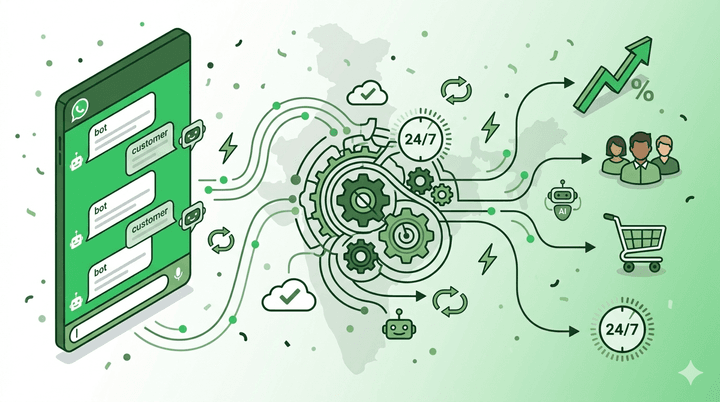
WhatsApp automation refers to the use of software tools, chatbots, and workflows to handle customer conversations on WhatsApp without requiring a human agent for every interaction. Instead of manually responding to each message, businesses set up automated systems that can greet customers, answer frequently asked questions, collect information, send notifications, and route complex queries to the right team member.
There are three levels of WhatsApp automation:
- Basic auto-replies: Welcome messages, away messages, and quick replies that trigger based on keywords or timing.
- Flow-based chatbots: Predefined conversation paths where users select options from menus and the bot guides them through a structured process.
- AI-powered chatbots: Intelligent bots that understand natural language, pull answers from a knowledge base, and handle open-ended questions with contextual awareness. Not sure which type fits your needs? Read our comparison of AI chatbots vs rule-based chatbots.
The most effective businesses in 2026 combine all three. Basic auto-replies handle the simple stuff, flow-based bots manage structured processes like bookings and order tracking, and AI chatbots handle everything else, creating a seamless experience that feels human.
Why Businesses Need WhatsApp Automation in 2026
Customer expectations have shifted dramatically. Nobody wants to fill out a contact form and wait 24 hours for an email reply. People expect instant answers, and they want them on the platform they already use every day.
Here’s what we’re seeing:
- Response time matters: Research shows that businesses responding to leads within 5 minutes are significantly more likely to convert them. If a prospect messages you at 11 PM and your team is offline, that lead may go to a competitor who has automation in place.
- WhatsApp open rates are unmatched: WhatsApp messages are estimated to see 90%+ open rates compared to 20-25% for email. Your broadcast messages and follow-ups are far more likely to be seen.
- Conversational commerce is growing: Customers increasingly prefer to browse, ask questions, and complete purchases within chat. Automation makes this scalable.
- Cost reduction: A well-configured chatbot can handle 70-80% of routine queries, significantly reducing the need for large support teams.
Key Features of WhatsApp Business Automation
Auto-Replies and Greeting Messages
The simplest form of automation. When a customer messages your business for the first time, or after a period of inactivity, they receive an instant welcome message. You can also set up away messages for outside business hours and quick replies for common questions.
A good greeting message sets expectations. For example: “Hi! Thanks for reaching out to [Business Name]. I’m your AI assistant and can help with product information, pricing, and bookings. How can I help you today?”
Broadcast Messaging
Unlike WhatsApp groups, broadcast messages let you send personalized one-to-one messages to segmented lists of customers. This is ideal for promotions, product launches, event reminders, and re-engagement campaigns. With automation, you can schedule broadcasts, personalize them with variables like the customer’s name, and track delivery and read rates.
AI-Powered Chatbots
Modern AI chatbots go far beyond simple keyword matching. They understand intent, maintain context across a conversation, and pull accurate answers from your business knowledge base. If a customer asks “What are your store hours?” followed by “And where are you located?”, the bot understands both questions relate to visiting your business and responds coherently.
Knowledge Base Integration
A knowledge base is the backbone of any effective AI chatbot. You upload your business information, product catalogs, FAQs, policies, and service details. The AI learns from this content and uses it to deliver accurate, contextual responses. The better your knowledge base, the smarter your bot becomes.
This is particularly powerful because it means you do not need to anticipate every possible question and write a specific response for it. The AI can synthesize information from your knowledge base to answer questions you never explicitly programmed.
Multi-Agent Routing
Not every conversation should stay with the bot. When a customer needs human help, whether for a complex technical issue, a complaint, or a high-value sales opportunity, the system should seamlessly hand off to the right team member. Good automation platforms let you define routing rules based on the conversation topic, customer segment, or specific trigger phrases.
How to Set Up WhatsApp Automation: Step by Step
Getting started with WhatsApp automation doesn’t require technical expertise, especially with modern no-code platforms. Here’s a practical roadmap:
Step 1: Get a WhatsApp Business Account
You need either a WhatsApp Business App (for small businesses) or access to the WhatsApp Business API (for scaling automation). The API is required for chatbot integration, broadcast messaging to large lists, and connecting with automation platforms. Most automation providers, including Inceptimind, handle the API setup for you.
Step 2: Choose Your Automation Platform
Look for a platform that offers a no-code bot builder, AI capabilities, knowledge base support, and multi-channel options. You want something that lets you get started quickly without writing code but also gives you the flexibility to build sophisticated workflows as you grow.
Step 3: Build Your Knowledge Base
Compile your FAQs, product information, pricing details, policies, and any other content your customers commonly ask about. Upload it to your platform’s knowledge base. This becomes the foundation for your AI chatbot’s responses.
Step 4: Design Conversation Flows
Map out the key journeys your customers take. What does a new lead inquiry look like? How about a support request or a booking? Create flow-based bots for structured processes and let the AI handle open-ended questions.
Step 5: Test Thoroughly
Before going live, test your automation with real-world scenarios. Send test messages, try edge cases, and make sure the handoff to human agents works smoothly. Ask colleagues or friends to try breaking it.
Step 6: Launch and Iterate
Go live, monitor your analytics, and continuously improve. Look at which questions the bot handles well, where customers drop off, and what queries require human intervention. Use this data to expand your knowledge base and refine your flows.
Ready to automate your WhatsApp business conversations?
Inceptimind helps you set up AI-powered chatbots, auto-replies, and broadcast campaigns with no coding required. Plans start at just ₹299/mo.
Get Started TodayUse Cases by Industry
Real Estate
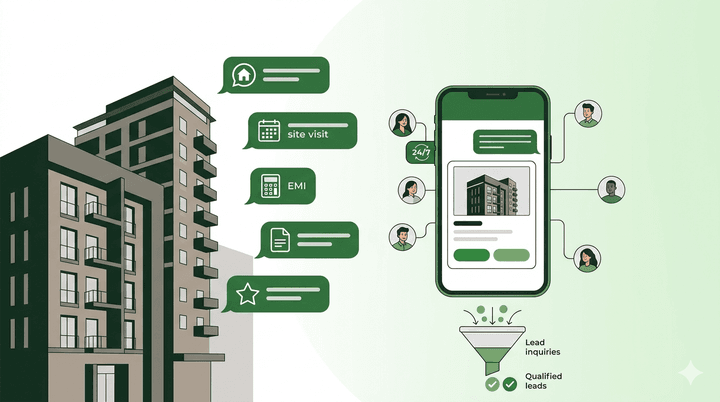
Real estate is one of the highest-impact industries for WhatsApp automation. Agents receive a constant stream of property inquiries, and response speed directly affects conversion rates. Automated bots can instantly share property details, schedule site visits, qualify leads by asking about budget and location preferences, and follow up with prospects who have gone quiet. A dedicated WhatsApp chatbot for real estate can handle dozens of inquiries simultaneously, something no individual agent can do.
E-Commerce
For online stores, WhatsApp automation handles order confirmations, shipping updates, delivery notifications, and return requests. But it goes further. Chatbots can serve as product recommendation engines, asking customers about their preferences and suggesting relevant items. Abandoned cart recovery messages on WhatsApp see significantly higher engagement than email, often recovering 15-25% of abandoned carts.
Healthcare
Clinics and hospitals use WhatsApp automation for appointment scheduling, prescription reminders, pre-visit instructions, and post-visit follow-ups. Patients can check doctor availability, book appointments, and receive preparation instructions, all through chat. This reduces the load on front-desk staff and improves the patient experience.
Education
Educational institutions automate enrollment inquiries, course information delivery, fee reminders, and exam notifications. Prospective students can ask about programs, eligibility criteria, and fee structures and receive instant, accurate responses. During admission seasons, this capability is essential for handling the volume of inquiries without overwhelming the admissions team.
Choosing the Right WhatsApp Automation Platform
Not all platforms are built the same. Here’s what to look for when picking a WhatsApp automation solution:
- AI quality: Does the platform offer genuine AI-powered chatbots, or just basic keyword matching? Look for natural language understanding and knowledge base integration.
- No-code builder: Can non-technical team members create and modify bots and flows without developer involvement?
- Multi-channel support: WhatsApp is important, but your customers are also on Instagram, Facebook, and other platforms. A unified platform that handles multiple channels saves you from managing separate tools.
- Analytics: You need visibility into bot performance, response times, customer satisfaction, and conversion rates to continuously improve.
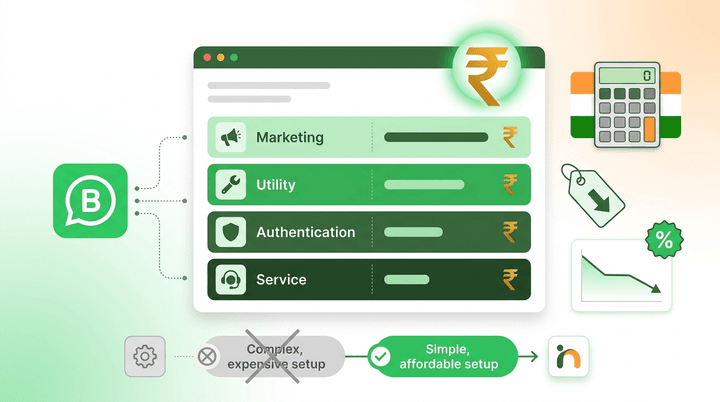
- Pricing transparency: Understand how the platform charges. Some charge per conversation, others per message, and others offer flat monthly plans. Make sure you understand the total cost at your expected volume. For a detailed breakdown of Meta’s rates and BSP fees, see our guide on WhatsApp API pricing in India. Also check the pricing details before committing.
- Scalability: Your automation needs will grow. Make sure the platform can scale with you, supporting more conversations, more channels, and more sophisticated workflows.
Getting Started with Inceptimind
Inceptimind is built specifically for businesses that want to automate messaging across WhatsApp, Instagram, and Facebook without technical complexity. The platform offers a three-layer AI system: flow-based bots for structured processes, an AI knowledge base for intelligent responses, and a fallback layer that ensures every customer gets a helpful answer.
You can set up your first bot in minutes using the no-code flow builder, upload your business content to the knowledge base, and go live across multiple channels from a single dashboard. With plans starting at ₹299/month, it is accessible for businesses of every size.
The key difference is that Inceptimind combines simplicity with power. You do not need to choose between a basic tool that is easy to set up and an advanced platform that requires a development team. You get both in one package.
Whether you are a small business handling your first automated responses or an enterprise managing thousands of conversations daily, WhatsApp automation is no longer optional in 2026. It is the standard that customers expect. The businesses that adopt it early gain a lasting competitive advantage in customer experience, lead conversion, and operational efficiency.