A bakery owner we spoke to last year had asked a freelancer for a WhatsApp bot — something to answer “is the shop open?”, take cake orders, and stop her phone buzzing through dinner. The quote came back: ₹40,000, three weeks, and a maintenance contract.
She built it herself in an afternoon. No code, no contract: a no-code platform, a visual editor, and a list of the ten questions her customers ask every day.
That’s the honest state of WhatsApp chatbots in 2026: the technical barrier is gone, and what’s left is mostly knowing the steps and doing an hour of preparation. This guide walks through the whole thing: what a bot can and can’t do, the three ways to build one, the step-by-step setup, and how to go live without embarrassing yourself. It’s the hands-on companion to our broader guide to WhatsApp automation for business.
What a Chatbot Will Actually Do for You
Before building anything, be clear about the job. A WhatsApp chatbot earns its keep on four things:
- Answering instantly, at any hour. Timings, prices, availability, location — the questions that make up most of your inbox get answered in seconds, including at 11 PM.
- Running structured journeys. Bookings, order status, menu browsing: the bot walks the customer through steps a human would otherwise type out again and again.
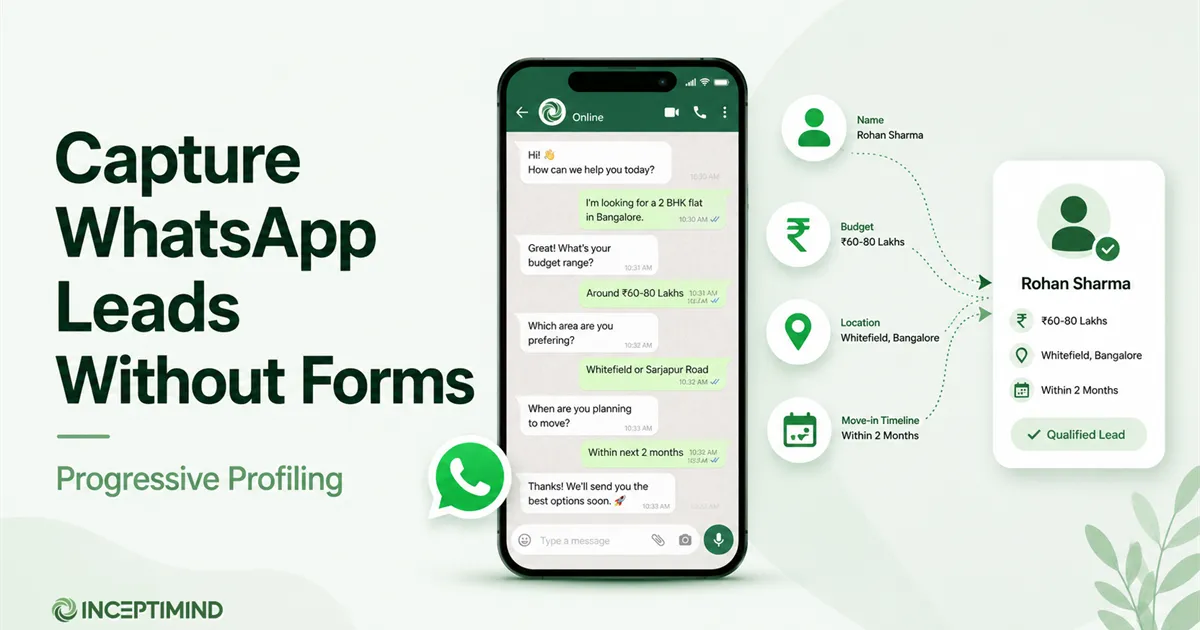
- Capturing leads inside the chat. Name, requirement, budget — collected conversationally, so an enquiry becomes a usable lead without a form.
- Knowing when to step aside. A good bot hands complex or high-value conversations to a human, with the context attached.
And what it won’t do: close a tricky sale, calm down an angry customer, or read minds. Design for the 80% of conversations that repeat, and route the rest to people.
Three Ways to Build One (Only Two Are Really Bots)
“WhatsApp chatbot” gets used for three quite different things. Knowing which you’re building saves a lot of confusion:
| What it is | Good for | Limit | |
|---|---|---|---|
| App auto-replies | Greeting + away messages in the free WhatsApp Business app | A one-person shop's first step | Can't answer questions or hold a conversation |
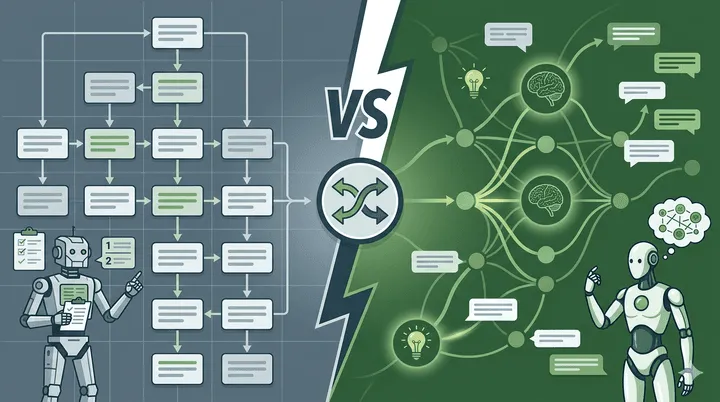
| Flow bot | A visual, button-driven conversation you design | Bookings, menus, FAQs, lead capture | Only handles the paths you've drawn |
| AI bot | Answers open questions from your business knowledge | Free-typed questions in the customer's own words | Needs a good knowledge base; costs more to run |
The app’s auto-replies aren’t really a bot — they’re a doormat message. The real choice is flow vs. AI, and it isn’t either/or: most businesses start with a flow bot and layer AI on top once the fixed menus stop covering what people type. On Inceptimind that upgrade is a plan switch, not a rebuild: your flows stay exactly as you drew them, and the AI layer starts answering the questions typed around them. If you’re unsure which fits your business, our comparison of AI chatbots vs rule-based chatbots walks through the trade-off properly.
The rest of this guide builds a flow bot with room to add AI later, the path that suits most small businesses.
The One Hour of Prep That Decides Everything
Skipping preparation is the most common way first bots fail. Before you open any builder, write down three things:
- Your top ten questions. Open your WhatsApp and scroll last month’s chats. The same questions appear over and over — timings, prices, location, availability, delivery. Write down the exact wording customers use, not the polished version you’d put on a website.
- Your one main journey. The single structured thing you most want automated: booking a slot, taking an order, qualifying a property enquiry. One journey, done well, beats five done badly.
- Your handoff rule. Decide now which conversations must reach a human — complaints, big orders, anything about money — and during which hours a human is actually available.
That list is the blueprint. The building part is honestly the easy bit.
Building the Bot, Step by Step
The exact screens vary by platform, but on a no-code builder like Inceptimind the sequence looks like this:
Step 1: Connect your WhatsApp number. You sign in with your Facebook/Meta account and walk through embedded signup — a guided popup that links your number to the official WhatsApp Business API in a few minutes. A fresh number works instantly; an existing app number can be connected too (see the FAQ below for the one caveat).
Step 2: Load your knowledge. Feed the platform your business information: the question list from your prep hour, your services and prices, policies, a website link or PDFs if you have them. For a flow bot this powers quick-reply answers; if you enable AI later, this same knowledge base is what it answers from.
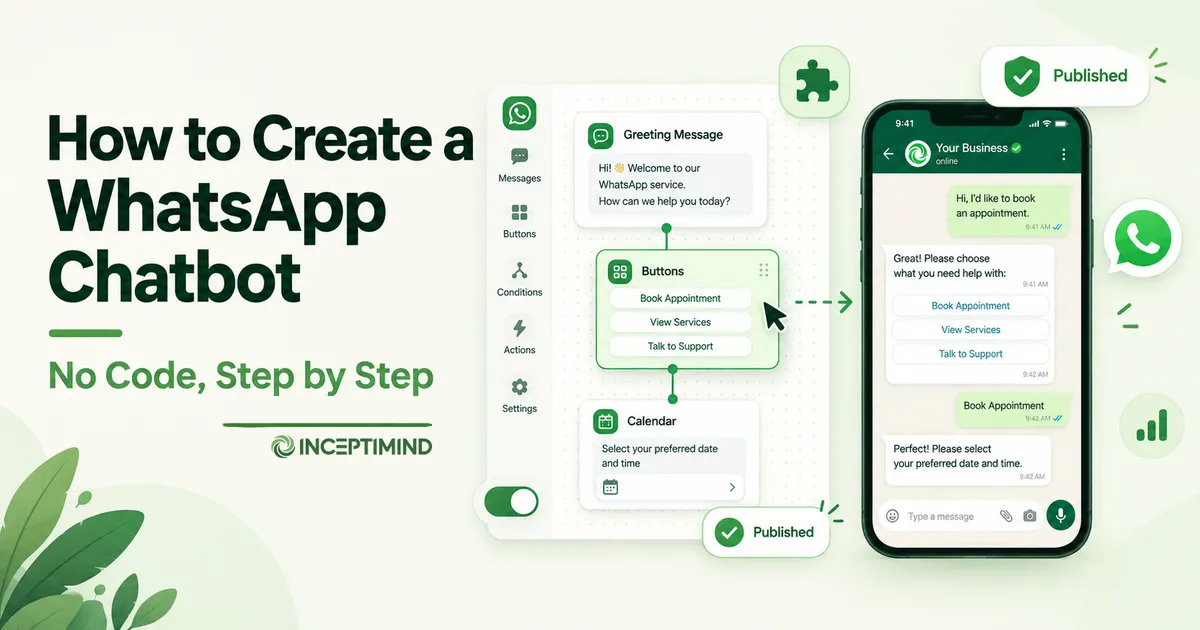
Step 3: Draw the welcome. In the visual editor, your first block is the greeting: a short hello plus buttons for the main things people want, like Book an appointment, Prices, and Talk to someone. Buttons beat open questions at the start; they show the customer what the bot can do instead of making them guess.
Step 4: Build your main journey. Chain blocks for the journey you chose in prep: ask the service, offer slots, confirm. Along the way, let the conversation collect the customer’s name and requirement naturally (the capture-leads-without-forms approach), so every completed journey also leaves you a usable lead record.
Step 5: Wire the escape hatches. Add a Talk to a human button to the menu, and route your handoff cases (from prep) to notify your team. A bot with no exit is how you lose the customers who matter most.
Step 6: Test it in the simulator. On Inceptimind this is the built-in Playground: a chat window where you talk to your bot exactly as a customer would, running the same brain as the live bot, before it touches a real number. Spend real time here; the next section is about how.
Step 7: Publish. One click, and the bot is live on your number. From here on, edits you make republish the same way — no downtime, no developer.
Want the bot without the building?
Inceptimind is done-for-you: we connect your number, load your knowledge base, and build your first flows with you — most businesses go live within a day. From ₹399/mo, with a 30-day money-back guarantee.
Get It Built for YouTest It Like a Rude Customer
Everyone tests their bot politely, tapping the buttons in order. Your customers won’t. Before going live, spend twenty minutes in the simulator deliberately breaking it:
- Type instead of tapping. Send “price??”, “u open today”, “kitna hoga” — the messy, real messages people actually send.
- Jump the flow. Start a booking, then ask an unrelated question mid-way. Does the bot recover or loop?
- Ask what it doesn’t know. The graceful response to a stumper is offering a human, not repeating the menu for the third time.
- Check the handoff. Trigger your human-handoff path and confirm somebody actually gets notified.
Every failure you find in the playground is a customer you don’t lose in week one. Fix the wording, add the missing button, and test again — the loop takes minutes.
Adding Instagram and Facebook to the Same Bot
Your customers don’t only message WhatsApp. The same flows and knowledge base can answer Instagram DMs and Facebook Messenger too — on Inceptimind you connect those accounts once and the same bot covers all three inboxes. If Instagram is where your enquiries actually start (true for most salons, bakeries, and D2C brands), this is worth doing in week one, not someday. Our guide to automating Instagram DMs covers that side in detail.
What It Costs to Run
Two costs, and it helps to keep them separate:
- The platform fee: what you pay for the builder, the bot, and the inbox. Entry plans in India are a few hundred rupees a month; Inceptimind starts at ₹399/month with no per-message markup.
- Meta’s WhatsApp charges: what WhatsApp itself bills for conversations. The good news for a chatbot specifically: when customers message you first and the bot replies, those service conversations are free. You only pay Meta when you start conversations (reminders, promotions) using approved templates. The full rate card and worked examples are in our WhatsApp Business API pricing guide.
So a bot that mostly answers incoming chats — which is exactly what a first bot does — runs close to the platform fee alone. The AI layer, if you add it, is the other cost variable: AI replies cost more to serve than flow replies, which is why plans gate them and why starting with a flow bot is the economical path.
Going Live: A Short Checklist
- ✅ Top-ten questions answered (in the customer’s wording, not yours)
- ✅ One main journey built and tested end-to-end
- ✅ Talk to a human visible in the main menu, handoff notifications confirmed
- ✅ Twenty minutes of rude-customer testing in the simulator
- ✅ Bot’s tone matches your business (a bakery shouldn’t sound like a bank)
- ✅ Your team knows what the bot handles and what still reaches them
Then publish on a normal weekday (not your busiest day), watch the first fifty conversations, and tweak. The first week of real customer messages will teach you more than any planning session; the builder makes acting on it a five-minute edit.
Frequently Asked Questions
Can I create a WhatsApp chatbot for free? Partially. The free WhatsApp Business app gives you basic auto-replies (a greeting and an away message), which is automation, but not a chatbot. A real bot that answers questions, offers menus, and captures leads runs on the WhatsApp Business API through a platform, and entry plans in India start at a few hundred rupees a month (Inceptimind starts at ₹399/month). Many platforms let you build and test for free before paying.
Do I need coding skills to build a WhatsApp chatbot? No. Modern platforms use visual flow builders: you arrange message blocks, buttons, and questions on a canvas and connect them with lines. If you can make a PowerPoint slide, you can build a flow bot. AI bots need even less building — you upload your business information and the AI answers from it. Coding is only involved if you want custom integrations with your own software.
Can I use my existing WhatsApp number for the chatbot? Yes. Your existing WhatsApp Business number can be connected to the official API and the bot runs on it — customers keep messaging the same number they always have. One thing to know: once a number moves to the API, you manage chats through the platform instead of the phone app, so plan the switch for a quiet day.
How long does it take to build a WhatsApp chatbot? For a standard business bot (greeting, service menu, FAQs, lead capture, human handoff), plan for a focused afternoon of building plus a few days of tweaking after real customers start using it. The number connection itself takes minutes with embedded signup. What takes longest is usually gathering your own content: prices, timings, policies, and the answers to your common questions.
Should I build a flow bot or an AI bot first? Start with a flow bot if your conversations are predictable — bookings, menus, order status. Add AI when customers ask open-ended questions in their own words and the fixed menus stop being enough. Most businesses run both: the flow handles structured journeys, the AI catches everything typed around them. Flow bots are also cheaper to run, which makes them the sensible first step.
The bakery owner’s bot still runs on the flows she drew that first afternoon, plus an AI layer she added when customers kept typing questions her menus didn’t cover. Building one has stopped being a technical project; it’s an afternoon of honest work about your own business. If you’d rather have that afternoon done for you, book a free demo and we’ll build your first bot with you — or compare your options first in our guide to the best WhatsApp service for Indian businesses.